
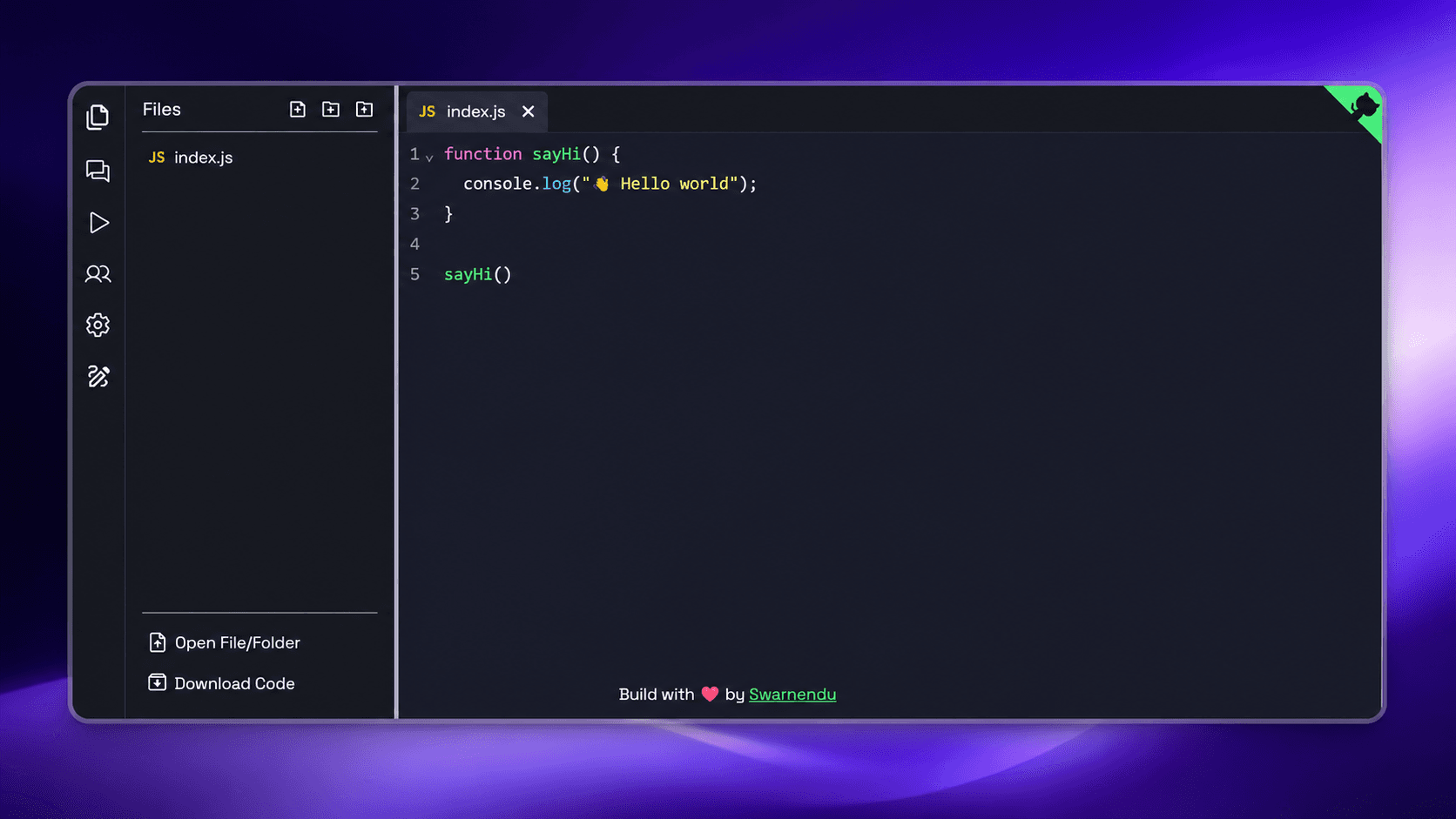
CodeFlow
A collaborative real-time code editor with pair programming, multi-language execution, shared whiteboard, and integrated development workspace.
Timeline
2026
Role
Full Stack Developer
Team
Solo
Status
CompletedTechnology Stack
Key Challenges
- Real-time Collaboration
- Code Execution Sandbox
- File Synchronization
- Collaborative Whiteboard
Key Learnings
- Operational Transforms
- Real-time Systems
- Containerized Code Execution
- Collaborative Software Architecture
CodeFlow: Real-Time Collaborative Code Editor
Overview
CodeFlow is a cloud-based collaborative development platform that enables developers to write, execute, and collaborate on code in real time. It combines a powerful Monaco-based code editor with pair programming, live code synchronization, integrated file management, code execution, and a collaborative whiteboard powered by Excalidraw.
Designed for developers, interviewers, educators, and remote engineering teams, CodeFlow brings the experience of a modern IDE directly to the browser.
Features
- Real-time Collaborative Editing: Multiple users can edit the same project simultaneously.
- Pair Programming: Invite teammates to collaborate with live cursors and synchronized editing.
- Multi-language Support: Write and execute code in multiple programming languages.
- Online Code Execution: Run code securely inside isolated execution environments.
- Integrated File Explorer: Create, rename, delete, and organize project files and folders.
- Monaco Editor: VS Code-like editing experience with syntax highlighting and IntelliSense.
- Excalidraw Whiteboard: Brainstorm ideas, design architectures, and explain algorithms collaboratively.
- Project Workspace: Manage multiple coding projects from a single dashboard.
- Real-time Presence: See connected collaborators, cursors, and active editors.
- Responsive UI: Seamless experience across desktop and tablet devices.
Collaboration Features
Built for remote collaboration:
- Live Cursor Tracking
- Real-time Code Synchronization
- Shared Editing Sessions
- Pair Programming Rooms
- Instant Project Sharing
- Presence Indicators
- Conflict-free Editing
- Session Management
Why I Built This
Modern development is increasingly collaborative, yet many online editors either lack powerful IDE capabilities or provide limited real-time collaboration.
CodeFlow was built to solve several common challenges:
- Difficult Remote Pair Programming
- Fragmented Development Tools
- Lack of Built-in Whiteboarding
- Complex Environment Setup
- Limited Browser-based IDEs
- Slow Developer Onboarding
The goal was to provide a complete browser-based development workspace where developers can code, execute, communicate, and collaborate without installing software.
Technical Stuff
Frontend
The frontend delivers a desktop-like coding experience:
- Next.js: Full-stack React framework.
- TypeScript: Type-safe application development.
- Monaco Editor: VS Code-powered code editing.
- Tailwind CSS: Responsive interface.
- Excalidraw: Collaborative whiteboard integration.
Backend
The backend powers collaboration, execution, and workspace management:
- Node.js: Application server.
- Socket.io: Real-time collaboration engine.
- Redis: Session management and pub/sub messaging.
- Docker: Secure sandboxed code execution.
- Database: Stores projects, files, and collaboration metadata.
Real-time Collaboration Engine
The collaboration layer provides:
- Live document synchronization
- Cursor synchronization
- Multi-user editing
- Presence detection
- Conflict resolution
- Automatic reconnection
- Session persistence
Code Execution Pipeline
Users can execute code directly from the browser:
- Multi-language runtime support
- Secure Docker-based sandbox
- Resource isolation
- Execution logs
- Error reporting
- Runtime output streaming
File Management System
The integrated workspace supports:
- Create files
- Create folders
- Rename resources
- Delete files
- Nested project structure
- Automatic synchronization
- File persistence
Whiteboard Integration
Every coding session includes a collaborative Excalidraw workspace where developers can:
- Draw system architectures
- Explain algorithms
- Sketch UI wireframes
- Design database schemas
- Brainstorm ideas together
Technical Challenges
Challenge 1: Real-time Collaboration
- Problem: Synchronizing edits from multiple users without conflicts.
- Solution: Built a real-time synchronization engine using WebSockets with efficient conflict handling.
Challenge 2: Secure Code Execution
- Problem: Running untrusted user code safely.
- Solution: Used Docker containers to isolate executions with CPU, memory, and execution time limits.
Challenge 3: Workspace Synchronization
- Problem: Keeping files, folders, and editor state synchronized across collaborators.
- Solution: Implemented event-driven synchronization with optimistic updates.
Challenge 4: Collaborative Whiteboard
- Problem: Maintaining synchronized drawing states alongside collaborative code editing.
- Solution: Integrated Excalidraw with real-time synchronization through shared collaboration sessions.
Performance Optimizations
- Incremental editor updates
- Efficient WebSocket messaging
- Lazy loading of editor modules
- Redis pub/sub for scalability
- Optimized Docker container lifecycle
- Project caching
- Virtualized file explorer
- Background autosave
Future Improvements
- AI Coding Assistant
- AI Pair Programmer
- GitHub Repository Integration
- Live Terminal Access
- Voice & Video Calling
- Integrated Debugger
- Git Version Control
- AI Code Review
- Team Workspaces
- Plugin Marketplace
- Collaborative Database Explorer
- Self-hosted Deployment
- Mobile Editing Support